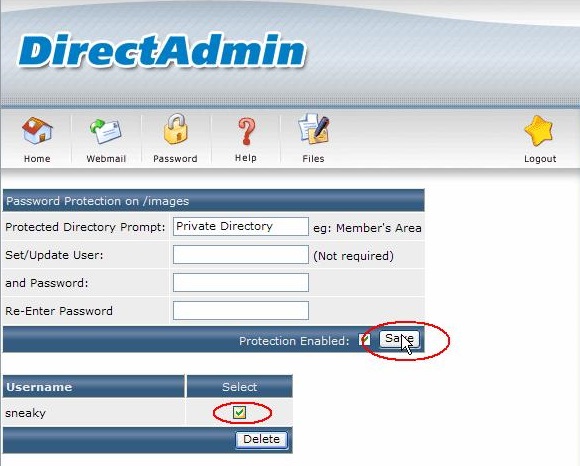
Để đặt password cho thư mục trên DirectAdmin ta thực hiện các bước sau :
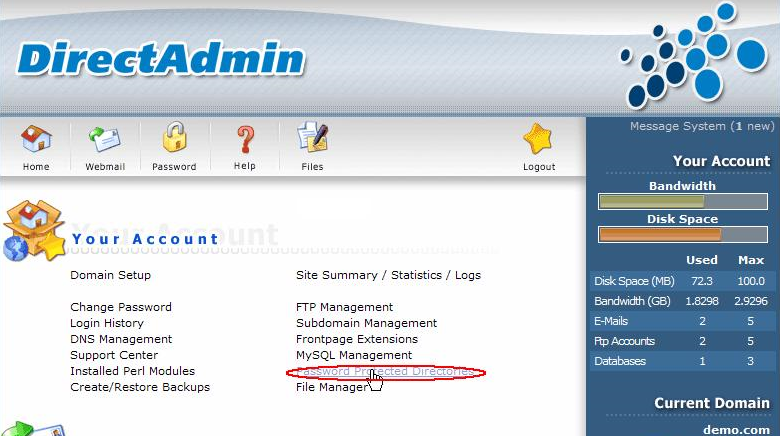
Bước 1 : Trên giao diện DirectAdmin tìm "Your Account" -> "Password Protected Directiries"
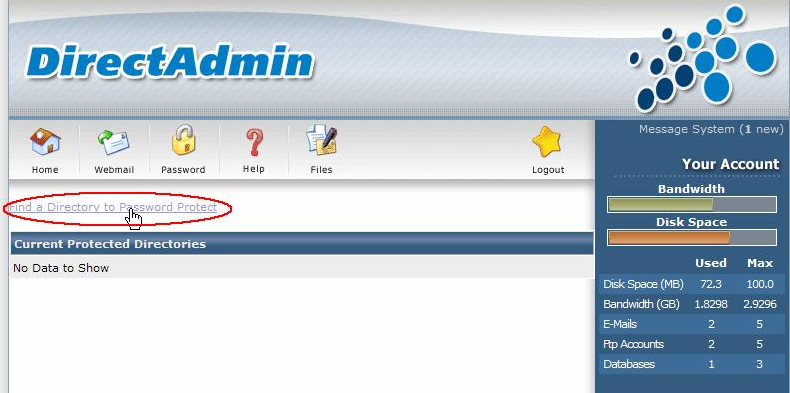
Bước 2 : Tìm thư mục cần đặt password
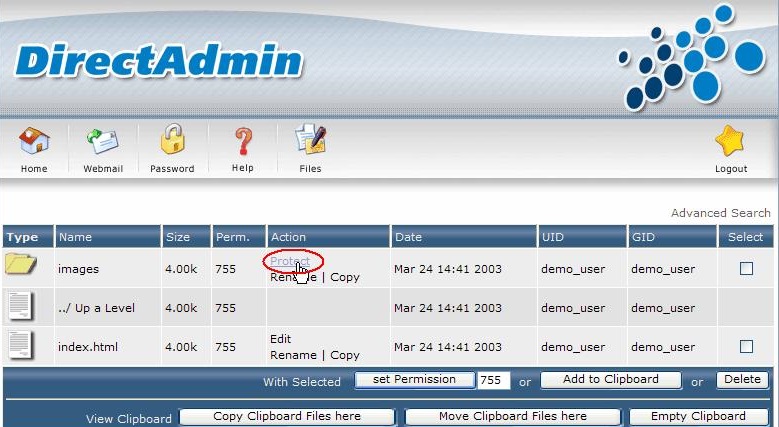
Click "Protect" ngay thư mục cần đặt password
Chọn User được phép truy cập vào thư mục Click "Save" hoàn tất
![[Hướng dẫn] thay đổi domain chính trong DirectAdmin](https://www.maxhost.vn/libs/timthumb.php?src=https://www.maxhost.vn/assets/images/content/-huong-dan-thay-doi-domain-chinh-trong-directadmin.jpg&w=300&h=180&zc=1)
![[Hướng dẫn] tạo email trả lời tự động - Autoresponder trong DirectAdmin](https://www.maxhost.vn/libs/timthumb.php?src=https://www.maxhost.vn/assets/images/content/-huong-dan-tao-email-tra-loi-tu-dong-autoresponder-trong-directadmin.jpg&w=300&h=180&zc=1)
![[Hướng dẫn] tạo tên miền phụ - Subdomain trong DirectAdmin](https://www.maxhost.vn/libs/timthumb.php?src=https://www.maxhost.vn/assets/images/content/-huong-dan-tao-ten-mien-phu-subdomain-trong-directadmin.jpg&w=300&h=180&zc=1)
![[Hướng dẫn] thay đổi mật khẩu truy cập trong DirectAdmin](https://www.maxhost.vn/libs/timthumb.php?src=https://www.maxhost.vn/assets/images/content/-huong-dan-thay-doi-mat-khau-truy-cap-trong-directadmin.jpg&w=300&h=180&zc=1)